How to Redeem Ant Evolution Codes
Find the Rewards → Codes panel and claim DNA or free rolls without mistakes.
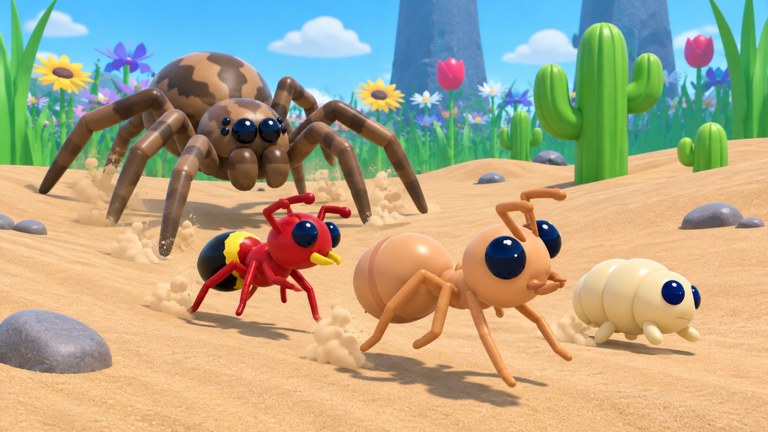
Redeeming Ant Evolution codes takes under a minute once you know where the menu lives. New players often hunt for a Twitter bird icon or a chat command because other Roblox simulators use those patterns. In Ant Evolution, codes sit inside the Rewards flow on the left side of the HUD. This guide walks through every click, explains why redemptions fail, and shows how to spend rewards without wasting the 2x Power window from RELEASE.
Before you start, open the live list on the Codes hub so you have EVOLVE, QUEEN, ANTS, and RELEASE ready to paste. Keep the Getting Started checklist nearby if this is your first session — free DNA is most valuable when you already know which food routes and evolution thresholds matter.
Step-by-step redemption
- Join the experience. Launch Ant Evolution from Roblox on PC or mobile. Wait until the ant egg / early ant model finishes loading and the left toolbar appears.
- Open Rewards. On the left side of the screen, tap or click the Rewards button. This panel also holds daily, playtime, and quest claims, so you may see multiple tabs.
- Switch to Codes. Inside Rewards, select the Codes button or tab. A text field labelled for code entry should appear with a Redeem action beside it.
- Paste one code. Enter a single string exactly as listed — for example
RELEASE. Avoid spaces before or after the word. Mobile keyboards sometimes insert invisible characters; if paste fails, type the letters manually in capitals. - Press Redeem. A success toast or inventory update should confirm DNA, rolls, or the power buff. Check your DNA counter and mutation roll inventory before moving on.
- Repeat for remaining codes. Redeem
EVOLVE,QUEEN, andANTSthe same way. Order does not matter for claiming, but spending order does (covered below).
What each reward looks like in-game
| Code | What you should see |
|---|---|
EVOLVE | +1 free mutation roll added to your roll inventory |
QUEEN | +2 free mutation rolls |
ANTS | +250 DNA on your currency counter |
RELEASE | +500 DNA and a temporary 2x Power buff lasting about 15 minutes |
If DNA numbers rise but rolls do not, open the mutation / roll UI to confirm the free rolls landed in a separate inventory slot. Some HUDs hide rolls until you open the evolve panel described in How to Evolve.
Troubleshooting failed redemptions
Code invalid / does nothing
- Confirm the string matches the Codes hub spelling and capitalisation.
- Remove spaces and try typing instead of pasting.
- Restart the experience once — UI state can desync after a long AFK.
- The code may have expired after a patch. Check Updates for retirement notes.
Already redeemed
- Each code is one-time per account. Alt accounts can redeem again, but sharing accounts violates Roblox rules and is not recommended.
Rewards button missing
- Wait for full client load; some mobile devices delay side buttons.
- Zoom out / rotate the camera in case a tutorial overlay is covering the toolbar.
- Rejoin a fresh server if the lobby is mid-admin event (see video coverage of admin abuse sessions on related guides).
2x Power from RELEASE feels weak
- The buff is temporary. Start a farming route or a soft boss pull immediately after redeeming.
- Pair it with high-value food (seeds and acorns) rather than low-density crumbs.
Smart spending after you redeem
Claiming is only half the value. Convert rewards into progression:
- Finish the first-hour goals from Getting Started so you know safe bite targets.
- Use the mutation tier list before spending free rolls — wings and fire-style combat traits usually outpace cosmetic rolls early.
- Hold spare DNA for the next evolution breakpoint instead of rolling every last point. Details live in the mutations guide.
- After your first strong mutation set, schedule a rebirth once Giant Mantis attempts feel consistent.
Mobile vs PC differences
On mobile, the Rewards icon can sit behind the jump or camera controls depending on your gesture settings. Use a two-thumb grip, tap Rewards, then rotate the device to landscape if the Codes field is clipped. On PC, mouse click accuracy is higher — still double-check the caret is inside the Codes box before pressing Enter or Redeem.
Related hubs
- Codes Hub — live active list
- Scripts Hub — automation tools (high ban risk; not required for codes)
- Updates Hub — patch notes that often ship with new codes
- Official Links — Roblox experience and group links
Once redemption feels automatic, you can claim new codes in under thirty seconds after every Ant Evolution update and funnel the loot straight into evolution and boss prep.
Frequently Asked Questions
Quick answers for Ant Evolution players.
Where is the Codes button in Ant Evolution?
Open Rewards on the left HUD, then select the Codes tab. There is no separate Twitter icon for redemption.
Why does my code say invalid?
Check capitals, remove spaces, confirm it is still listed as active on the Codes hub, and make sure you have not already redeemed it.
Do I need a script to redeem codes?
No. The normal Rewards → Codes UI is enough. Scripts are unrelated and carry account risk.
Should I redeem RELEASE before farming?
Yes. Start a food or critter route as soon as the 2x Power buff appears so the fifteen-minute window is not wasted.